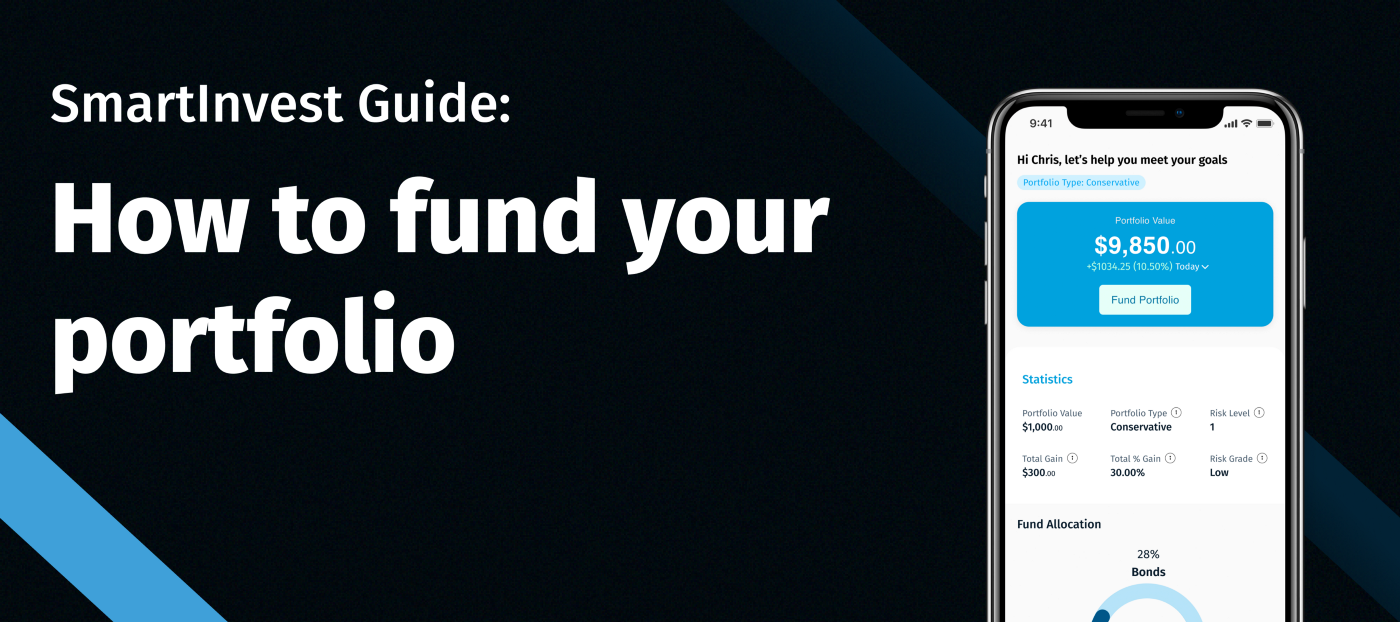
Funding your SmartInvest wallet is a simple 3-step process.
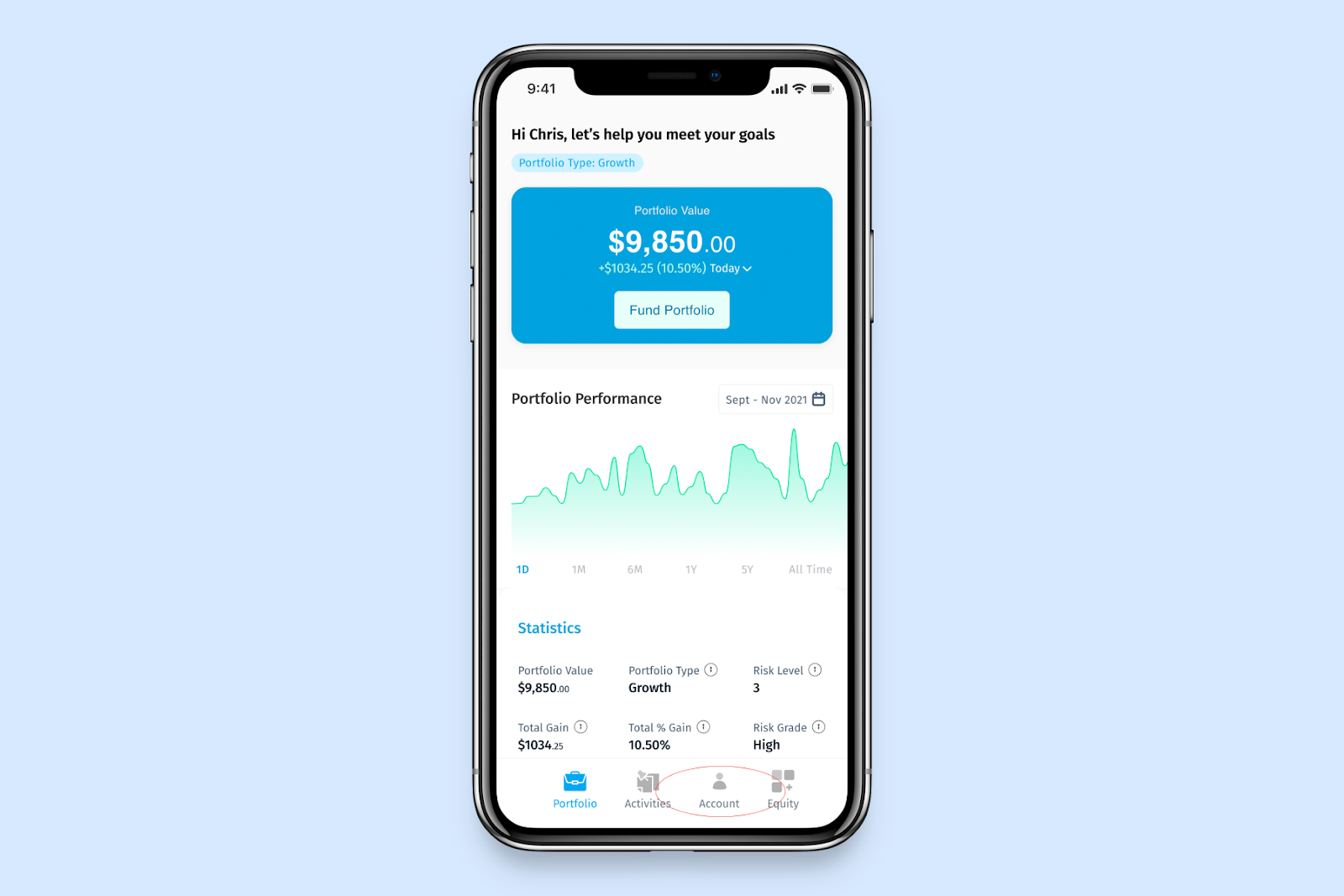
Step 1:
On your portfolio value, Click fund portfolio
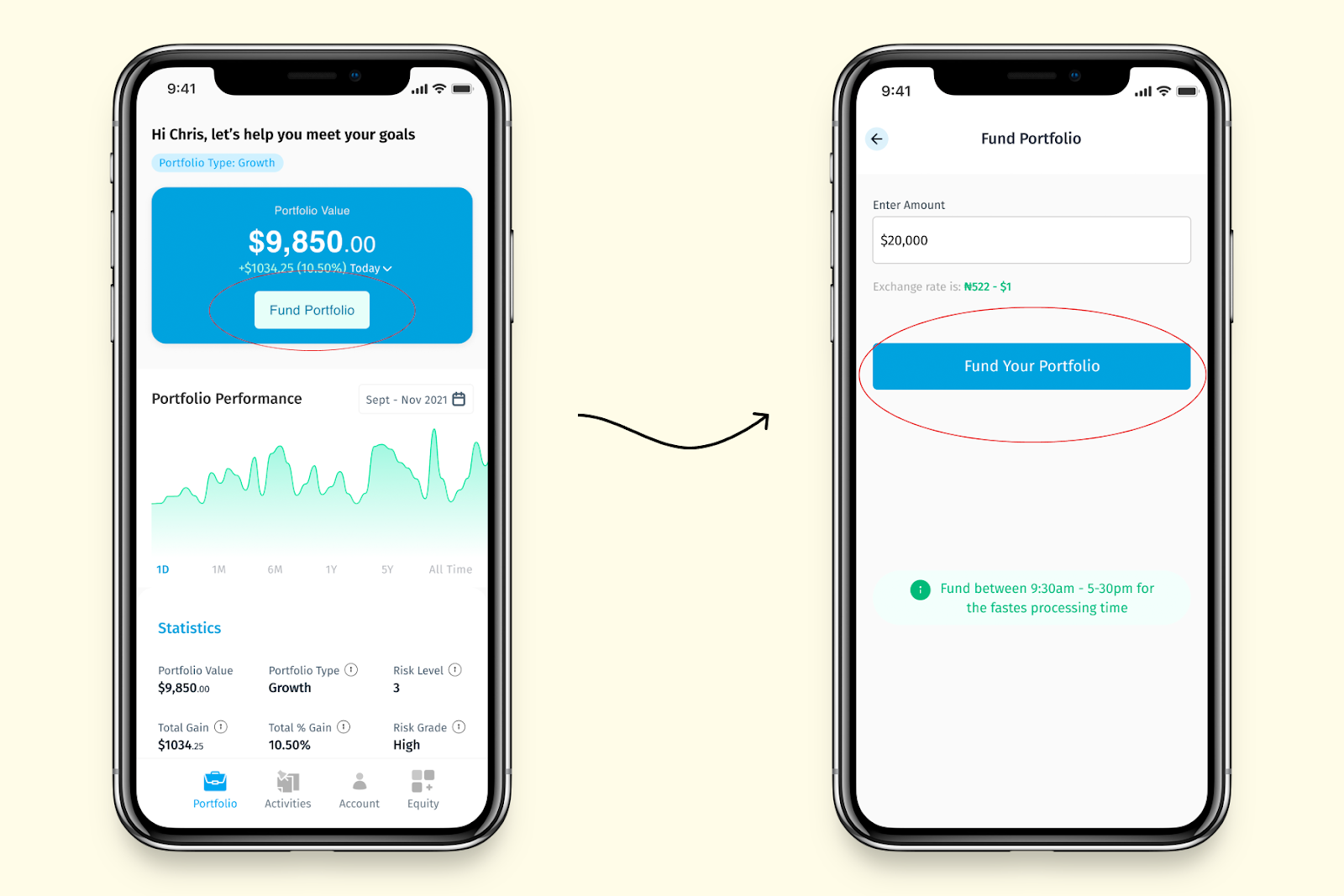
Step 2:
Enter the amount you want to fund your wallet with, in dollars, then click “Fund your wallet”.
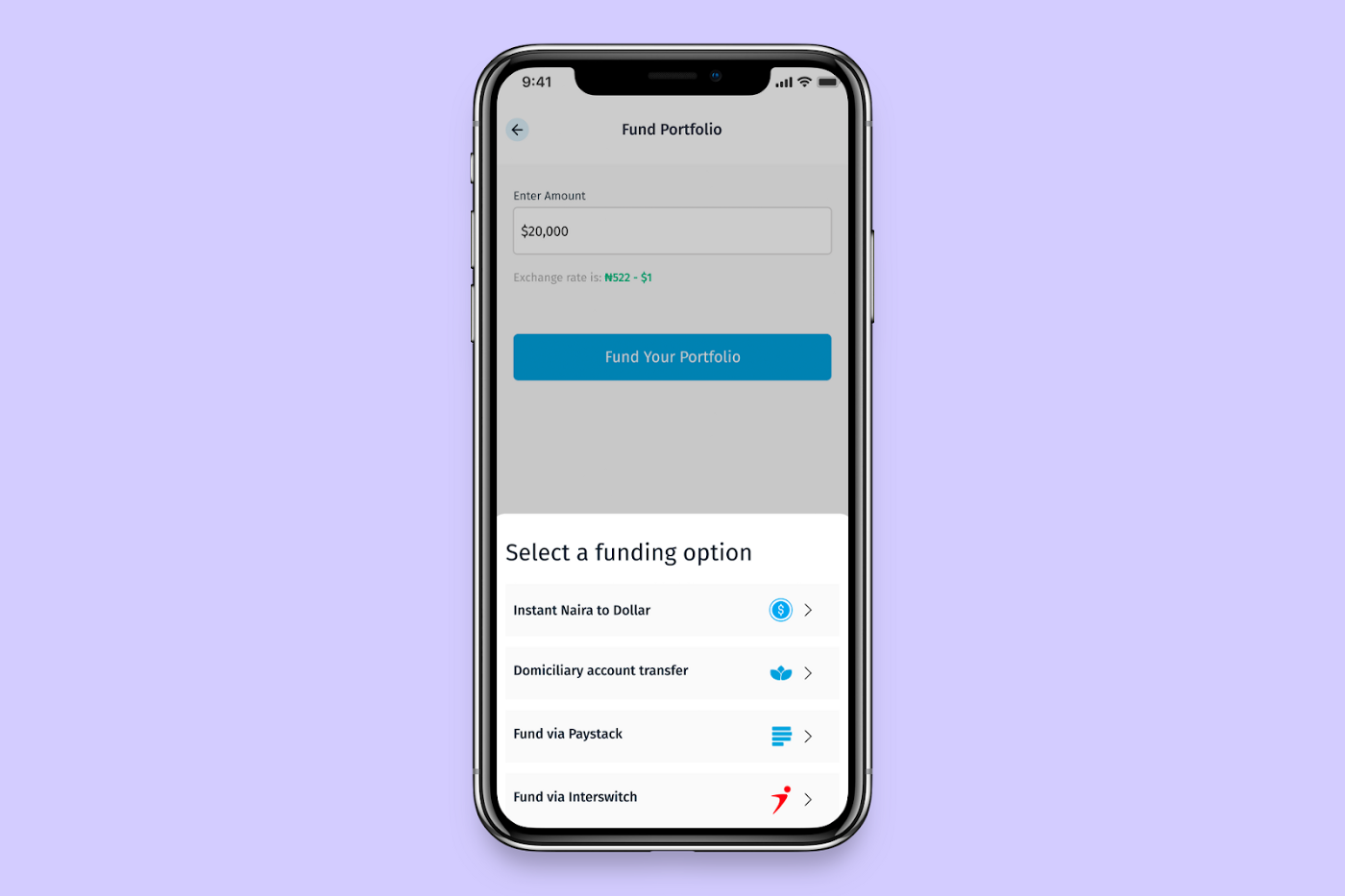
Step 3:
You can choose to fund your wallet in dollars using the available funding options.
Select one of the available funding options.
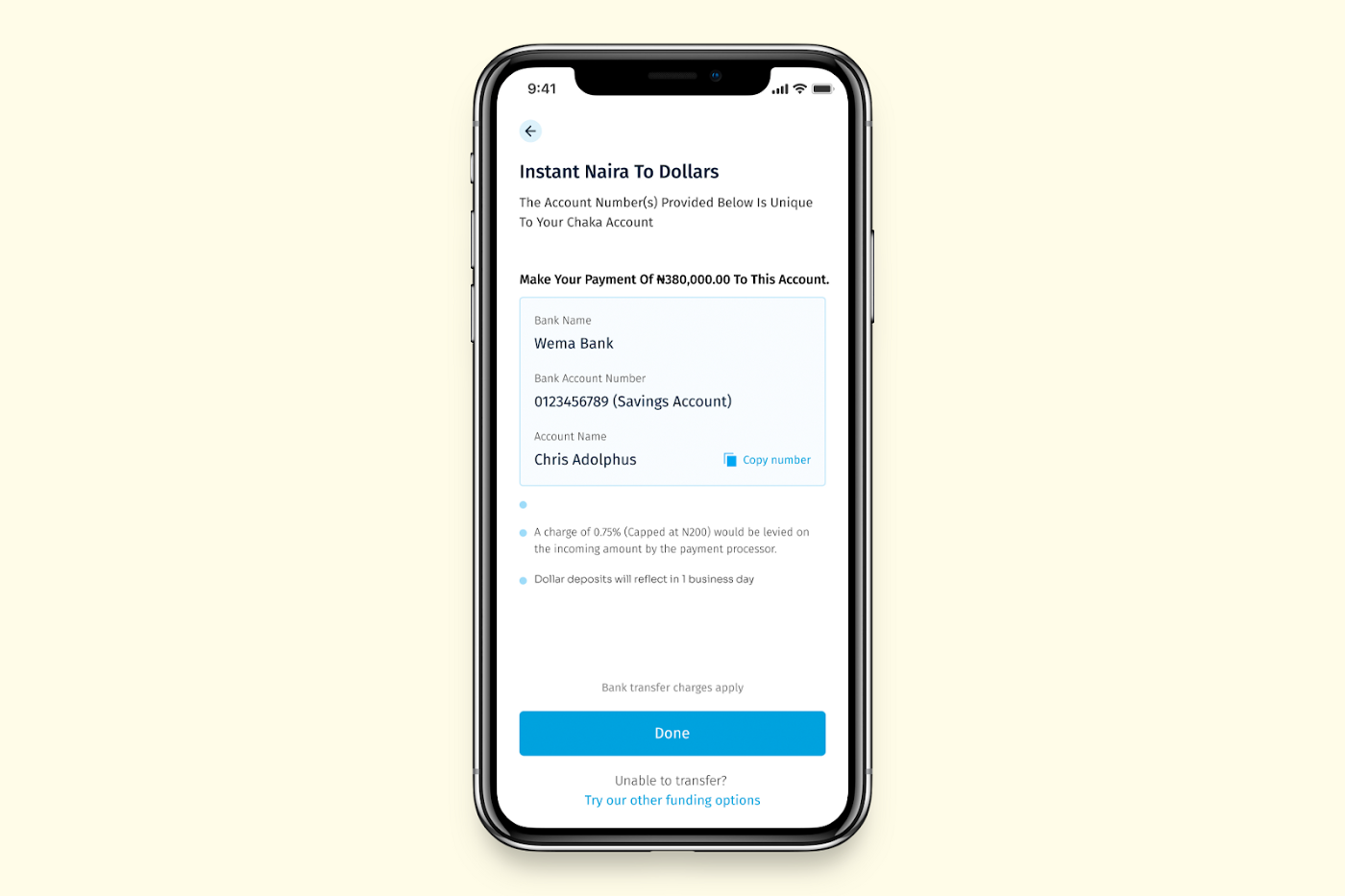
Fund using the Instant Naira to Dollars option
Once you click the Instant Naira to dollar option, your virtual Nuban account number will pop up
Copy the details and proceed to transfer the money to your secure Nuban account
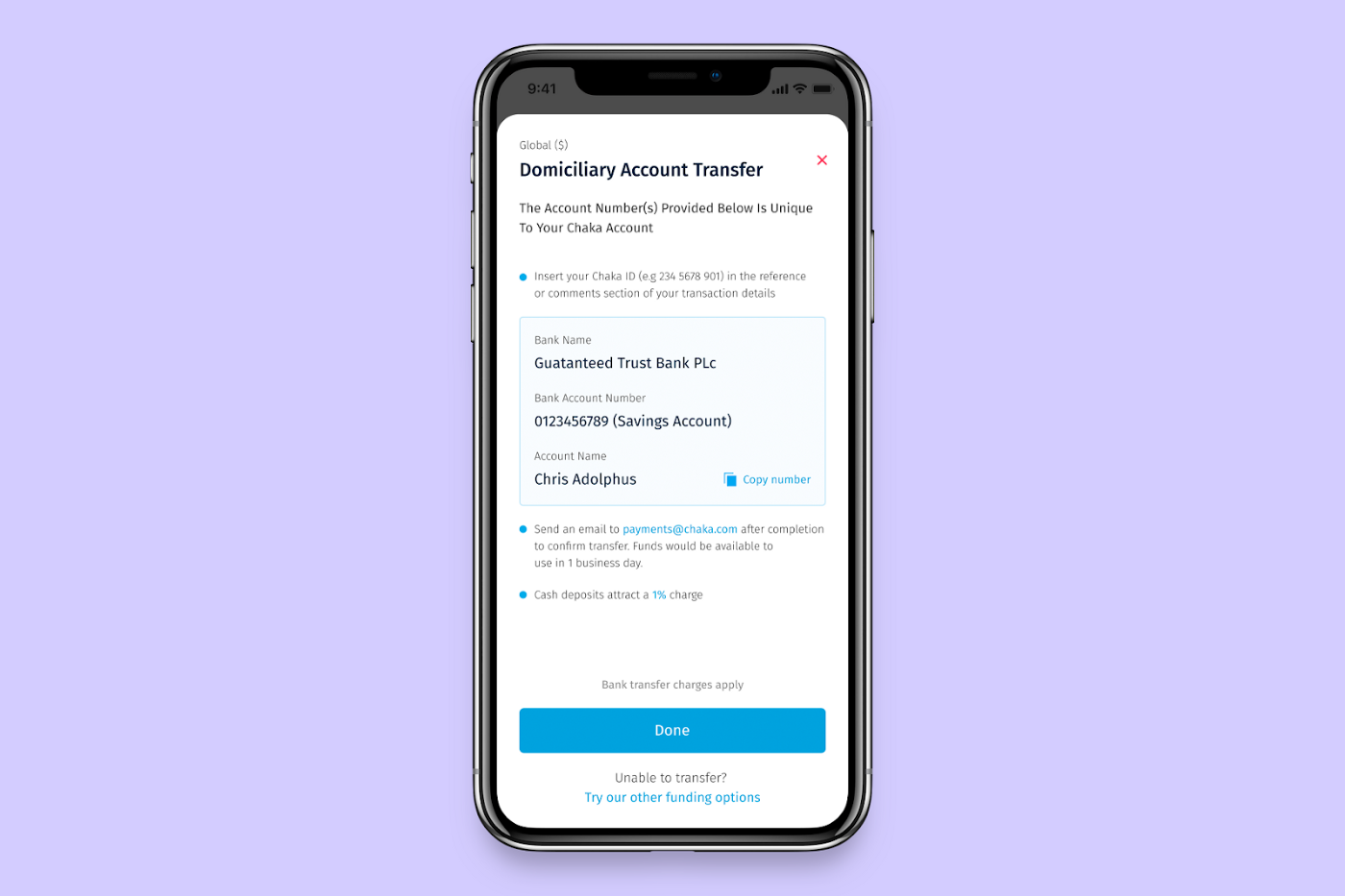
Fund via a Domiciliary Account Transfer
Click this option to view Chaka’s Domiciliary account details
Copy the details and proceed to make the transfer.
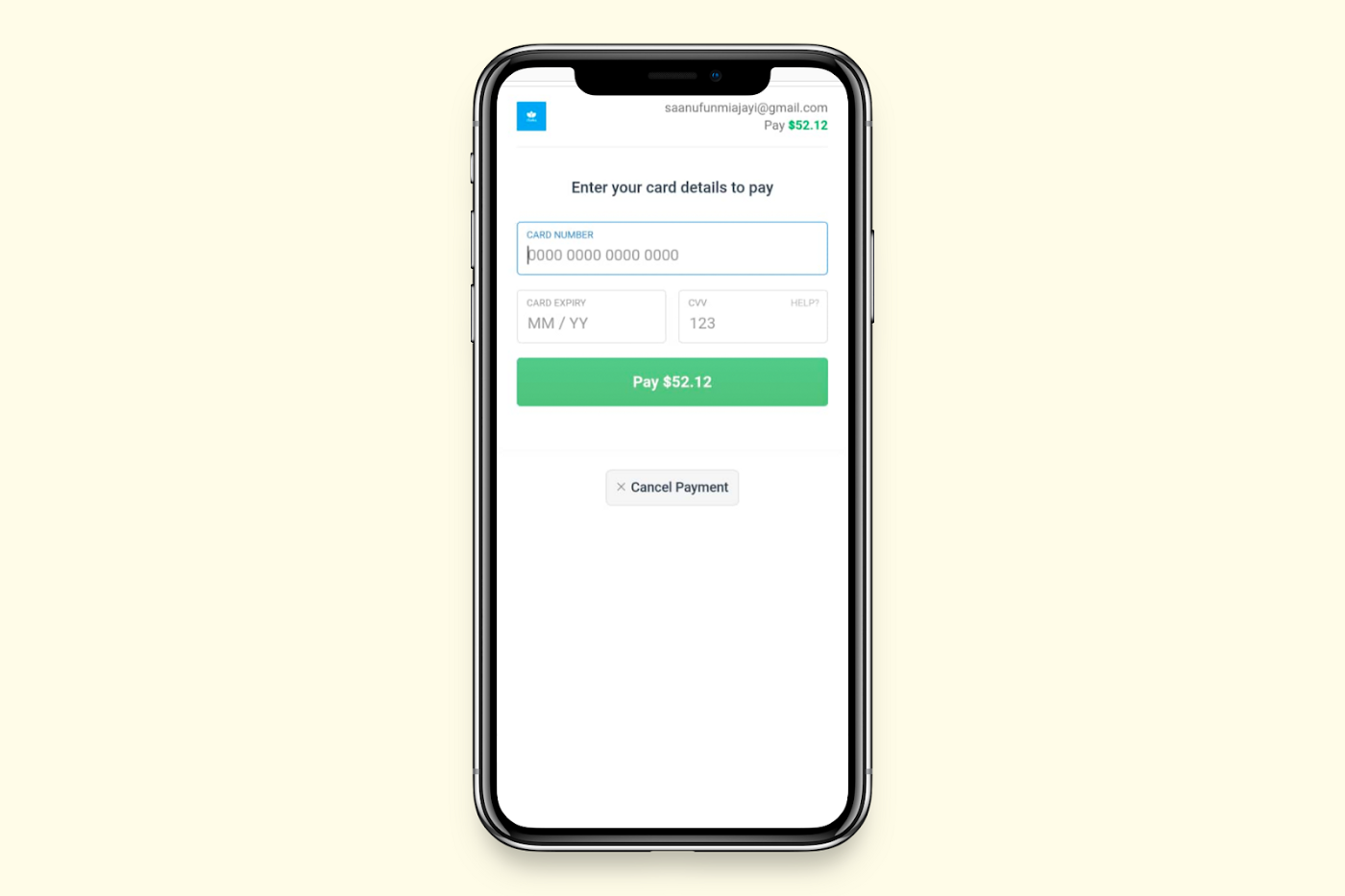
Fund using Paystack
Click the Paystack funding options
Input your card details and proceed to complete the transaction
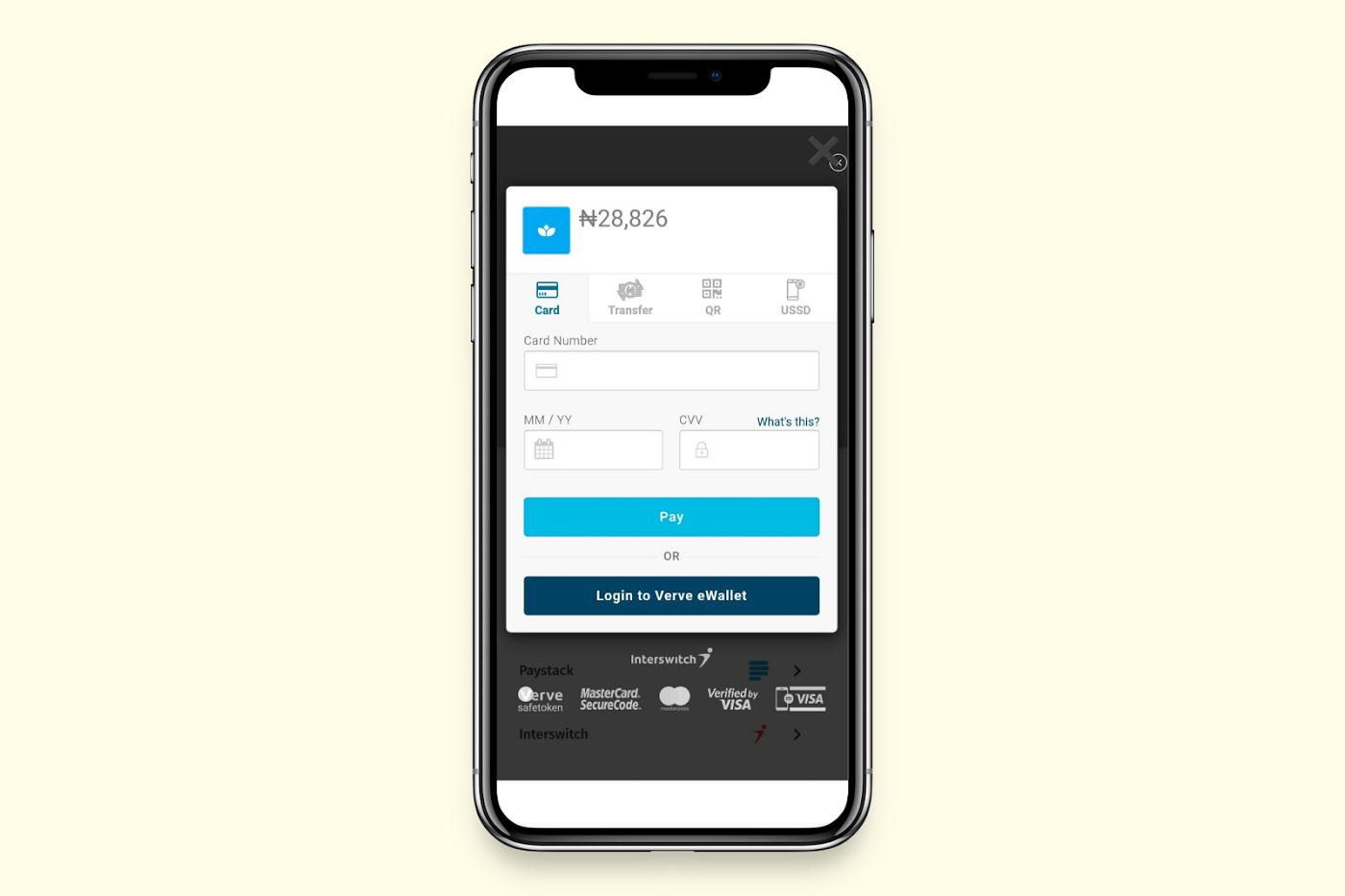
Fund using Interswitch
Click the Interswitch funding option
Input your card details and proceed to complete the transaction
Confirm your transaction and your funds will be automatically invested for you in your portfolio in 24–48 hours.
Was this article helpful?
That’s Great!
Thank you for your feedback
Sorry! We couldn't be helpful
Thank you for your feedback
Feedback sent
We appreciate your effort and will try to fix the article