Have you hit your investment goals on SmartInvest or do you need to liquidate your investments? Here is a quick way to achieve this:
Step 1:
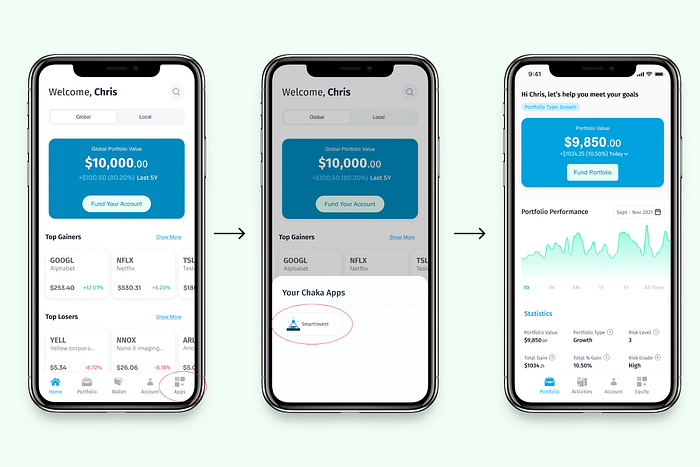
Open your Chaka app on your mobile device and navigate to your SmartInvest app by clicking SmartInvest right on the homepage of your app.
Step 2:
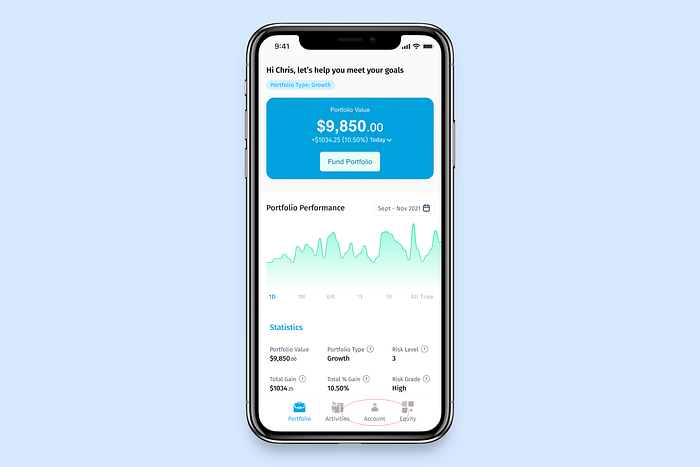
Once you are on the SmartInvest app, click account at the bottom of your screen
Step 3:
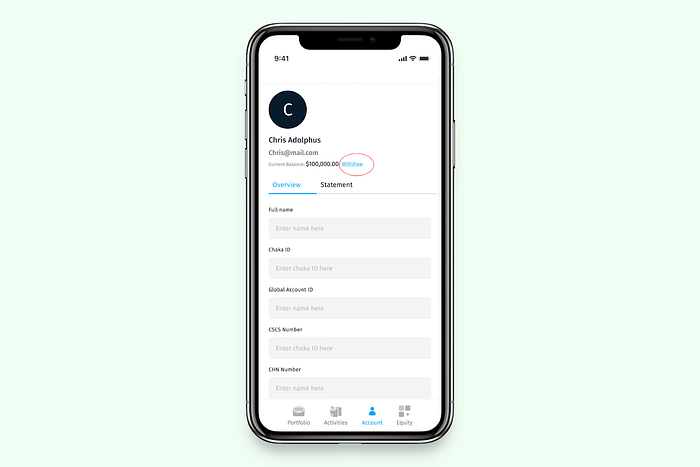
Click the withdraw button right beside your portfolio
Step 4:
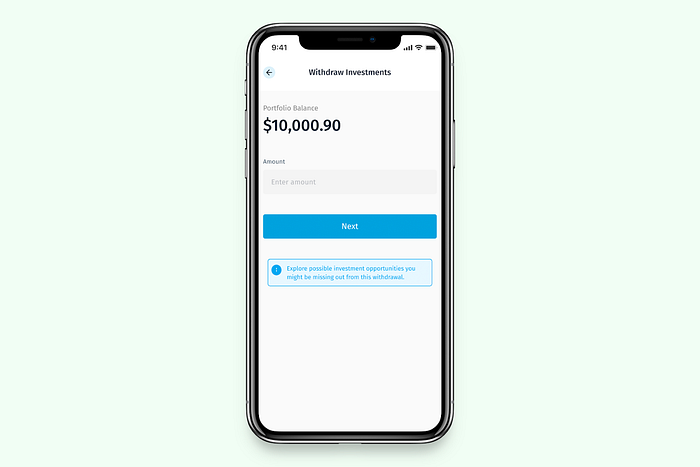
Enter the amount you want to withdraw in dollars
Step 5:
Confirm your account details to proceed to the checkout page.
Click the Yes, Complete button to complete your transaction
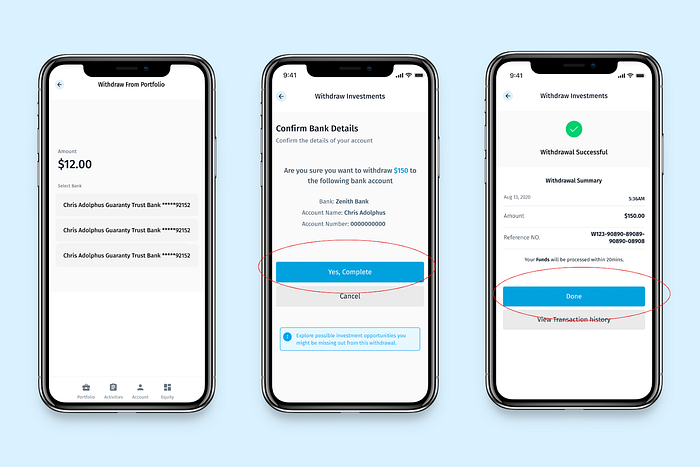
Please note that SmartInvest withdrawals take 1–2 business days. Your bank account will be credited with the naira equivalent of your withdrawal.
Was this article helpful?
That’s Great!
Thank you for your feedback
Sorry! We couldn't be helpful
Thank you for your feedback
Feedback sent
We appreciate your effort and will try to fix the article