Upon completion of verification, you can fund your global ($) or local (N) wallet with any amount, starting from $10 or N1000 using either bank cards, bank transfers (instant funding) or through your bank’s USSD code.
Here is a step by step guide on how to fund your Chaka wallet:
How to fund your Global Wallet:
Global Wallets store value in USD and can be funded in NGN (converted to USD) and directly in USD as well. If a customer has both Local and Global wallets, it is possible to exchange value (Naira/Dollar) between their wallets.
- Interswitch
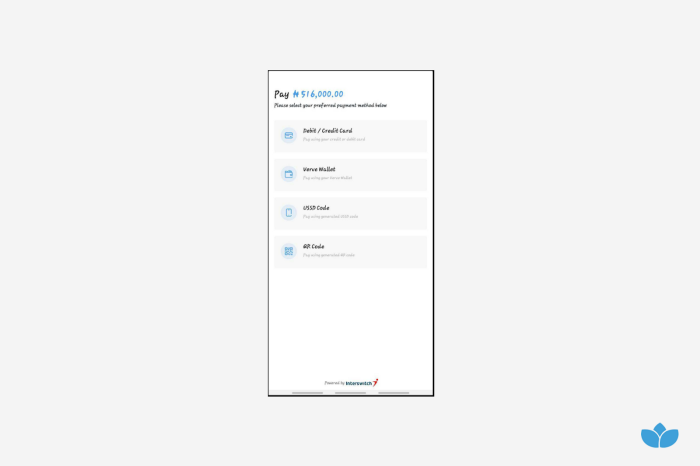
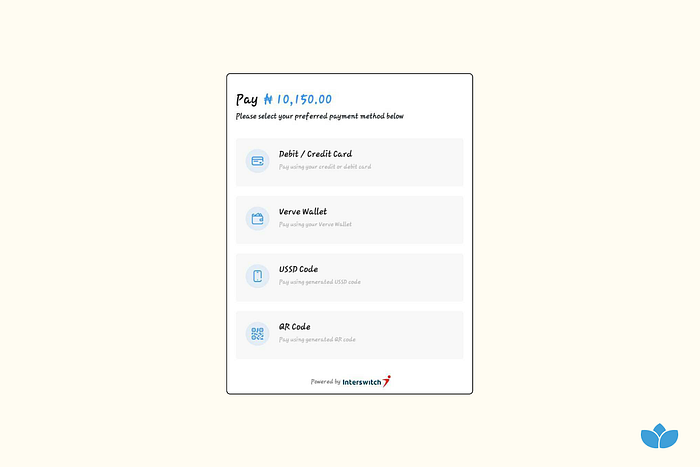
Interswitch allows funding through cards(NGN), QR and USSD
2. Instant Naira to Dollars
You can fund your global wallet by sending money from your bank account instantly into Chaka’s bank account and the value instantly converted to USD with reference to the FX rate set by currency exchange marketplaces.
3. Domiciliary Account Transfer
You can fund your global wallet by sending money directly into Chaka’s Domiciliary bank account.
4. Pay with Dollar Card
You can fund your global wallet directly using your Dollar card via Paystack
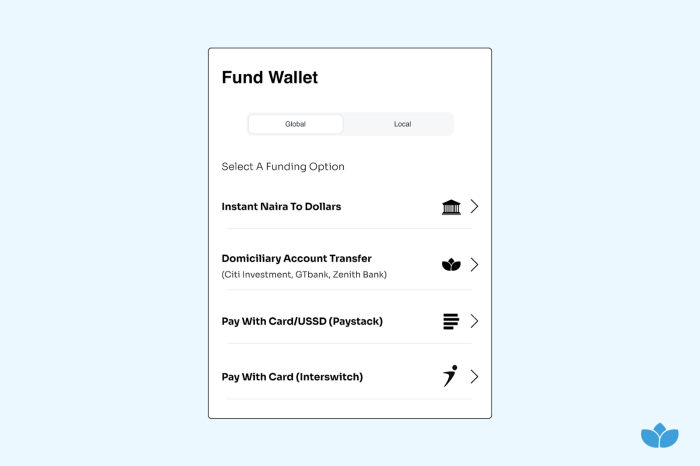
Funding through Interswitch:
- Tap Wallet on the menu bar at the bottom of your screen
- Tap the Global toggle at the top of the page
- Tap Fund
- On the Fund Wallet page Tap Pay By Card/USSD (Interswitch)
- Enter the amount you want to fund your global wallet with
- Tap Submit
- Select one of the Interswitch payment methods displayed to make payment
Funding through Instant Naira to Dollars:
- Tap Wallet on the menu bar at the bottom of your screen
- Tap the Global toggle at the top of the page
- Tap Fund
- Tap Instant Naira to Dollars
- Enter the amount (Naira/Dollars) you want to fund your global wallet with
- Tap Submit
- Transfer funds from your bank account instantly into your virtual NUBAN account displayed either via your banking app, internet banking platform or USSD.
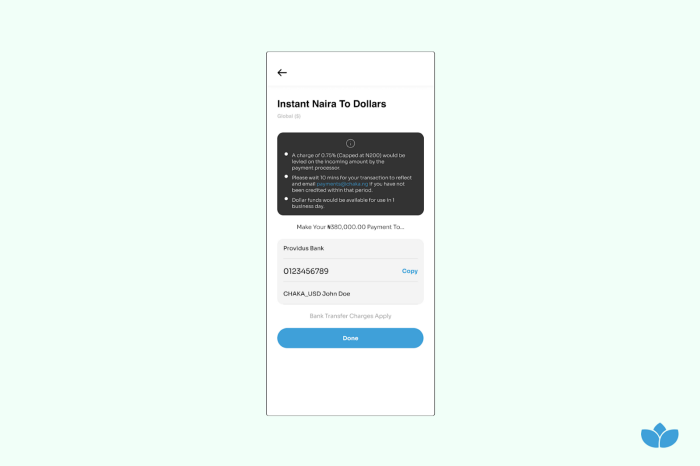
Please wait 10 minutes for your transaction to reflect and email payments@chaka.com if you have not been credited within that period.
Dollar funds would be available for use in 1 business day.
Domiciliary Account Transfer:
- Tap Wallet on the menu bar at the bottom of your screen
- Tap the Global toggle at the top of the page
- Tap Fund
- Tap Domiciliary Account Transfer
- Enter the amount (Naira/Dollars) you want to fund your global wallet with
- Tap Submit
- Transfer funds from your bank account instantly into any of the CITI INVESTMENT CAPITAL bank accounts displayed either via your banking app, internet banking platform or USSD.
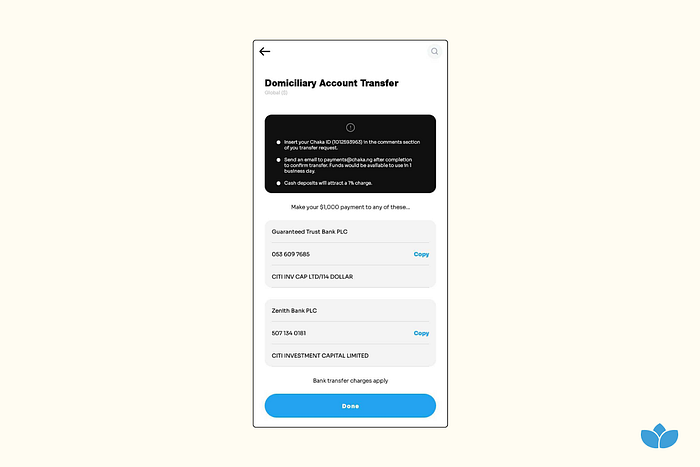
Note: Insert your Chaka ID (234 5678 901) in the comments/description section of your transfer request
Send an email payments@chaka.com after completion to confirm the transfer. Funds would be available to use in 1 business day
Cash deposit would attract a 1% charge
Pay With Dollar Card(Via Paystack):
- Tap Wallet on the menu bar at the bottom of your screen
- Tap the Global toggle at the top of the page
- Tap Fund
- Tap Pay By Card/USSD (Paystack)
- Enter the amount you want to fund your global wallet with
- Tap Submit
- Select one of the Paystack payment methods displayed to make payment
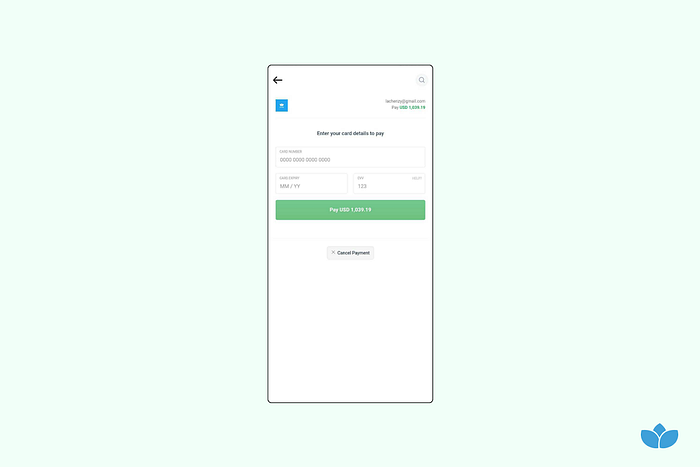
Note: After successful funding, the funds end up in the wallet state Available to Trade.
You can now proceed to buy a stock.
How to fund your Local Wallet:
Local Wallets store value in NGN and can be funded in NGN
1. Paystack
Paystack allows you to fund your wallet using a Naira Card, USSD, or direct transfer from your bank
2. Interswitch
Interswitch allows funding through cards, QR and USSD
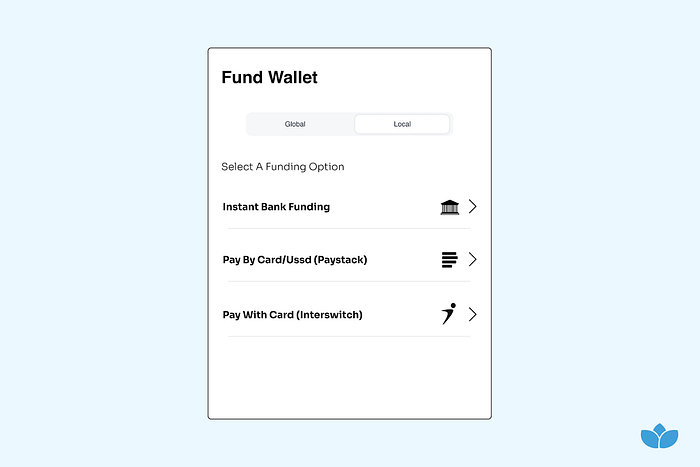
Funding through Paystack:
- Tap Wallet on the menu bar at the bottom of your screen
- Tap the Local toggle at the top of the page
- Tap Fund
- Tap Pay By Card/USSD (Paystack)
- Enter the amount (Naira) you want to fund your local wallet with
- Tap Submit
- Select one of the Paystack payment methods displayed to make payment
Pay with Card: The Pay with Card feature allows customers to make payments using their debit card.
Pay with Bank: The Pay with Bank feature allows customers to pay through an internet banking portal or by providing their bank account number and authenticating using an OTP sent to their phone or email. This is different from Bank Transfers where customers transfer money into a bank account.
Pay with USSD: The Pay via USSD channel allows you to pay you by dialling a USSD code on your mobile device. This code is usually in the form of ** followed by some code and ending with #*. You will be prompted to authenticate the transaction with a PIN before it is confirmed.
Pay with Visa QR: The QR option generates a QR code that allows you to use a supported mobile app to complete payments. (Currently supported apps are Ecobank, FirstBank, Fidelity, Access, Diamond and Zenith Bank mobile app)
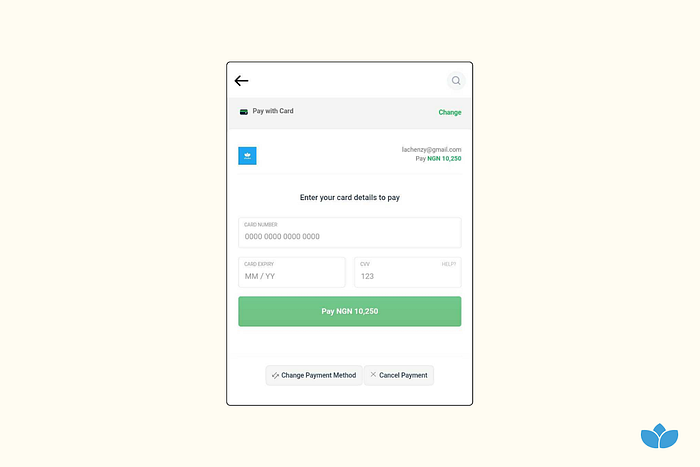
Pay with Card
Funding through Interswitch:
- Tap Wallet on the menu bar at the bottom of your screen
- Tap the Local toggle at the top of the page
- Tap Fund
- Tap Pay By Card/USSD (Paystack)
- Enter the amount (Naira) you want to fund your local wallet with
- Tap Submit
- Select one of the Paystack payment methods displayed to make payment
Was this article helpful?
That’s Great!
Thank you for your feedback
Sorry! We couldn't be helpful
Thank you for your feedback
Feedback sent
We appreciate your effort and will try to fix the article