How to Create Password :
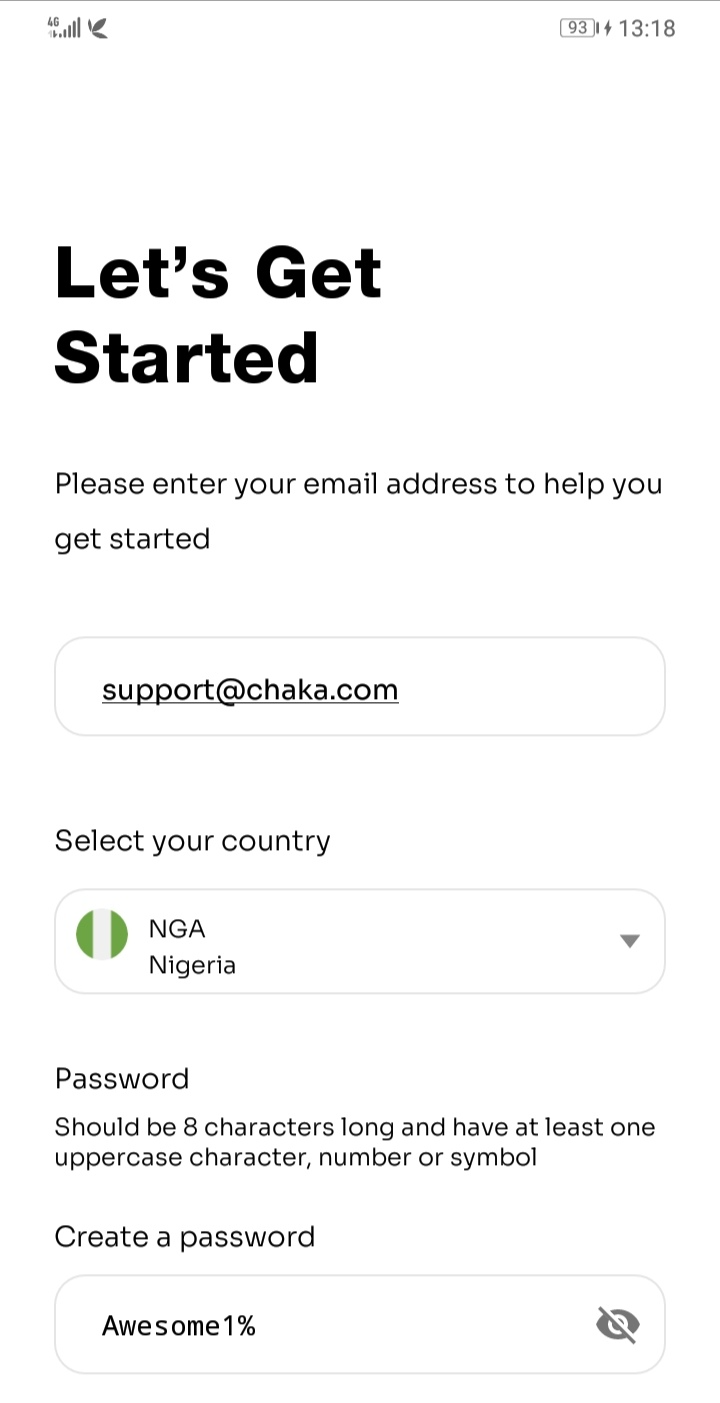
When signing up as a new user, you need an active email address to sign up on the Chaka platform.
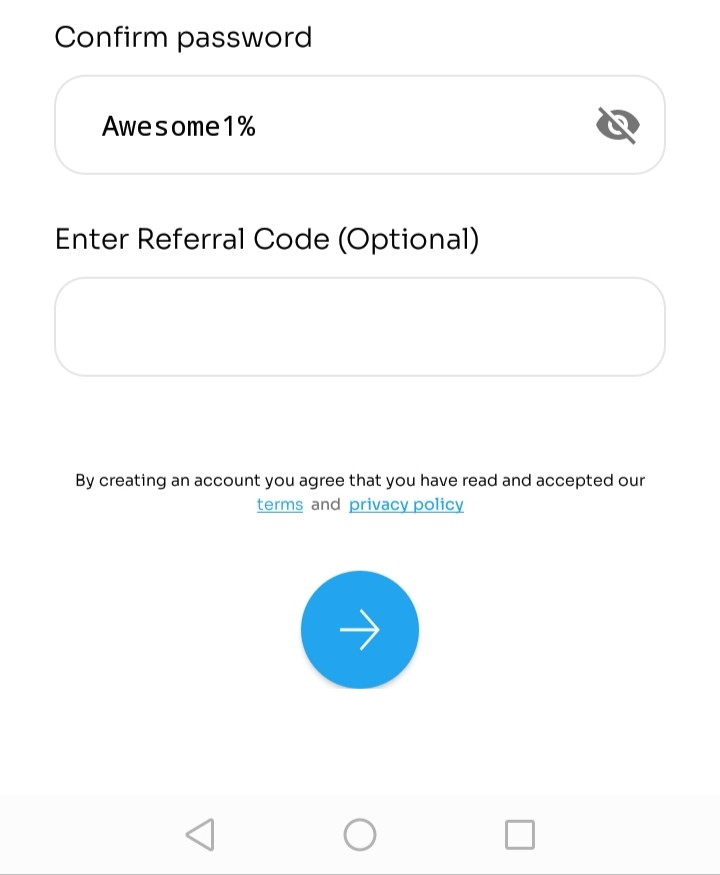
Steps on how to sign up:
- Input your email address in the space provided
- Enter an 8-digit character in the space provided for the password
- Confirm the password entered
- Click on the blue arrow to complete the sign-up process
Note : The password must have atleast one capital letter, a small letter, a number and a special character e.g. Awesome1%
How to Reset Password
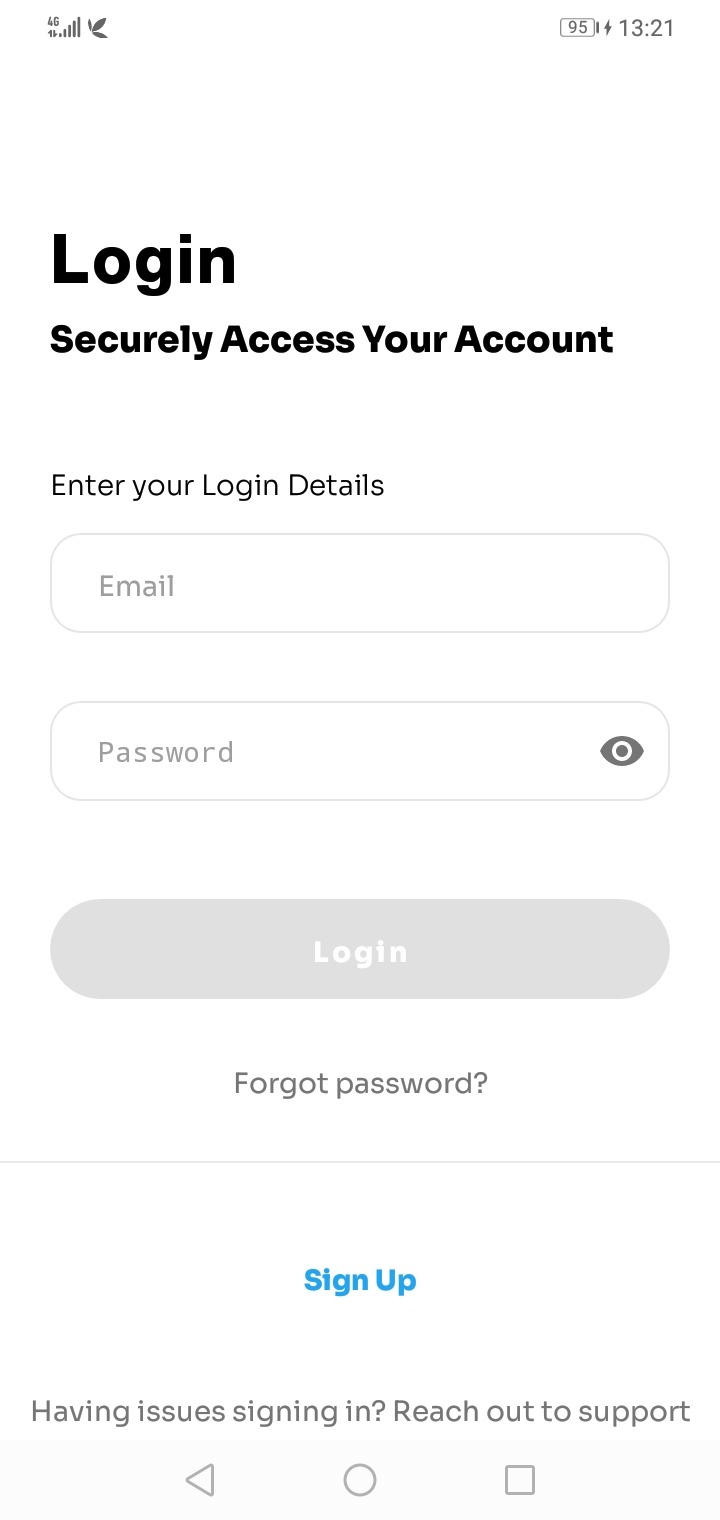
When you forget your password, you can easily get access to your Chaka account by clicking on the forgot password to get a password reset link.
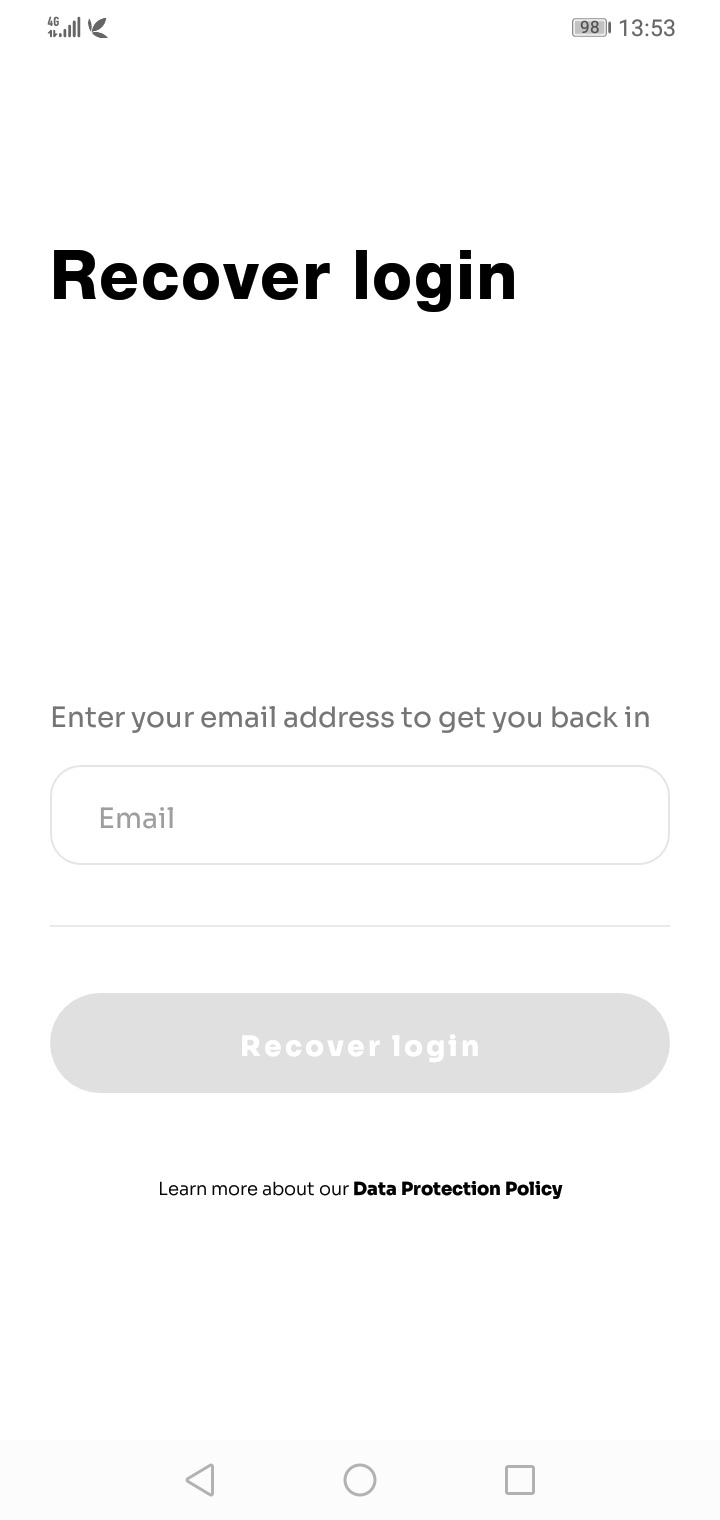
Steps on how to reset password
- Click on forgot password
- Enter your login email address and click on recover login, a link will be sent to your email address, click on the link and you will be redirected to our website
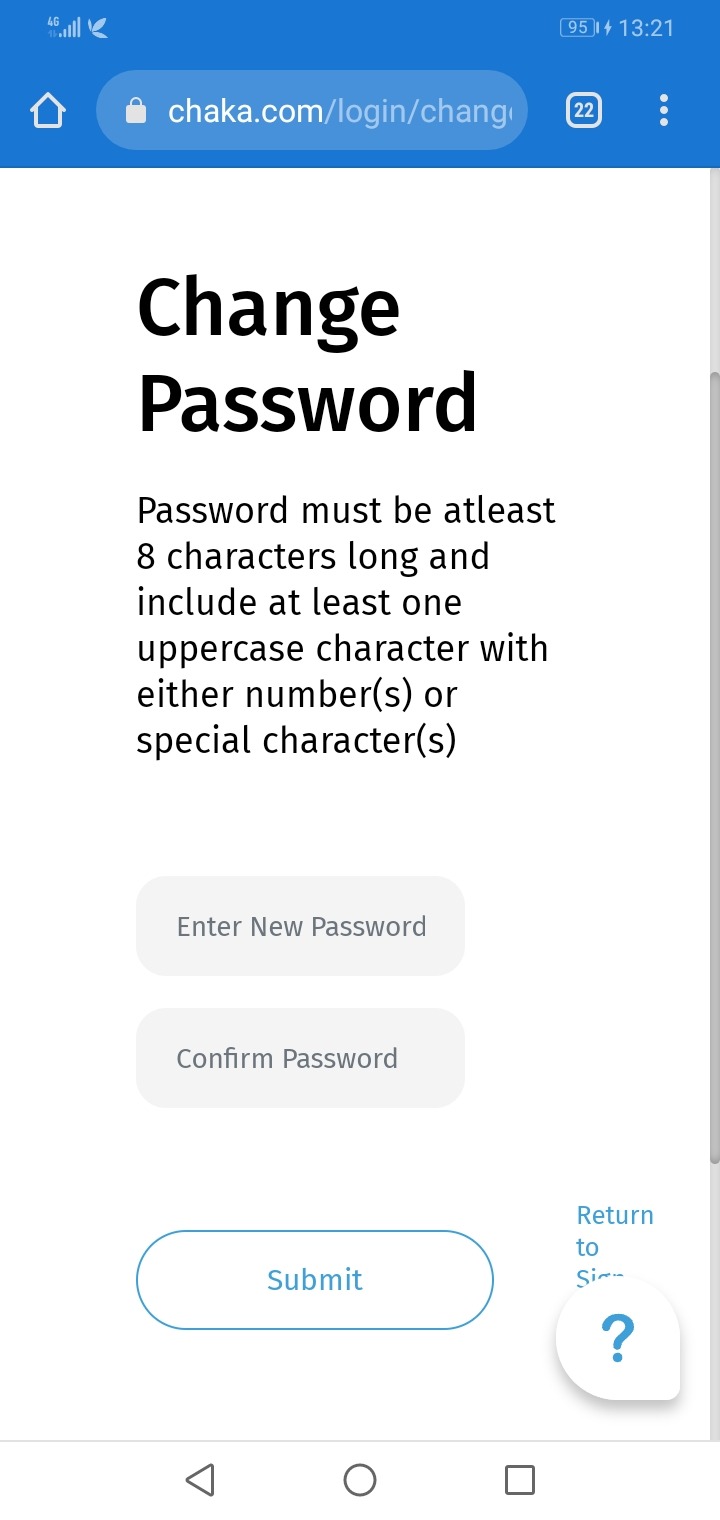
- On our website, enter a new password and confirm the new password
- Click submit. Once this is done, the page will redirect to the login page then you can login with the new password created.
Was this article helpful?
That’s Great!
Thank you for your feedback
Sorry! We couldn't be helpful
Thank you for your feedback
Feedback sent
We appreciate your effort and will try to fix the article