TABLE OF CONTENTS
Now that you’ve signed up on the Chaka App, It’s time to verify your brokerage account.
To get verified for your local and global trades, you are required by regulatory authorities to complete the KYC process.
What is KYC?
Know Your Customer (KYC) is a standard due diligence process of identifying and verifying our customers. This is a mandatory requirement from SEC (for local trades) and US FINRA (for global trades).
Let’s get started:
Step 1: General Verification:
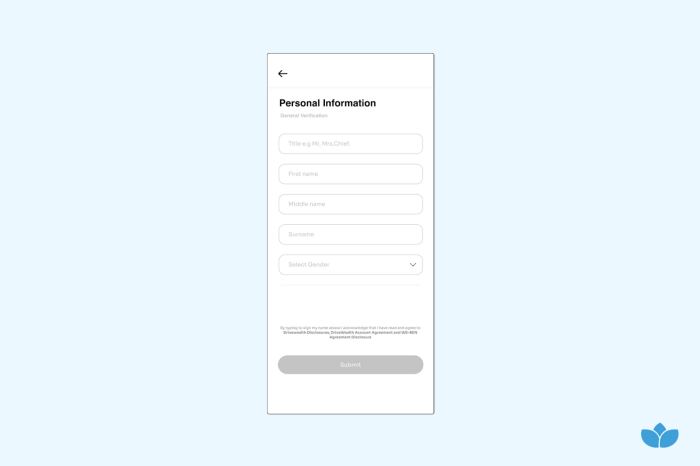
Personal Information:
- Enter your First Name, Middle Name, Surname and Gender
- Tap Submit
Bank Details (Payout):
- Enter the bank name and account number where we will send your withdrawals
- Tap Submit
Step 2: Local Account Verification:
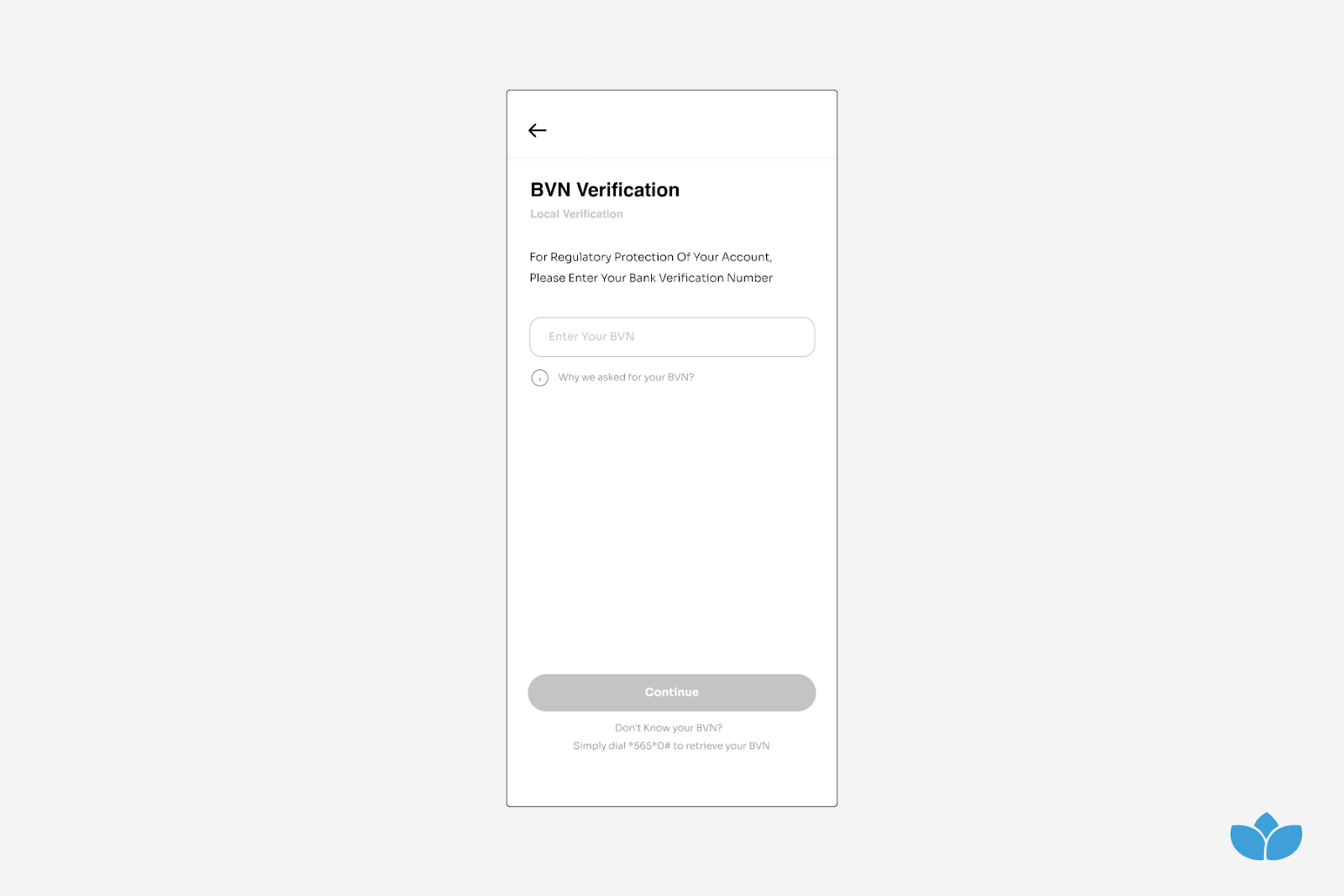
BVN Verification:
- Enter your Bank Verification Number (BVN) for regulatory protection of your account
- Tap on Send OTP to get a One Time Password (OTP) sent to your phone number
- Tap Submit
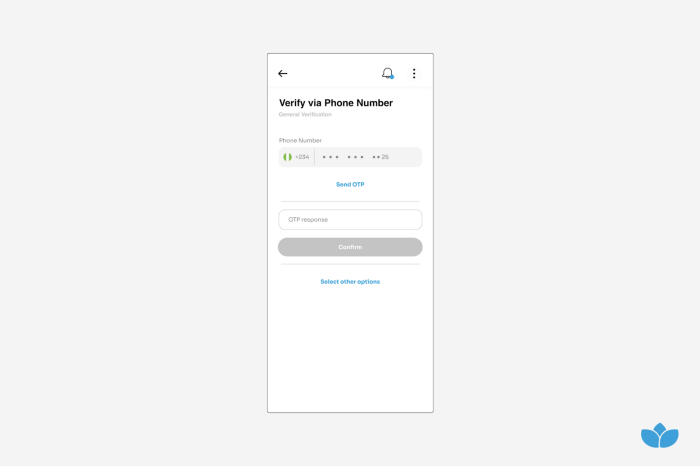
Phone Number Verification
- Enter your Phone Number and Date of Birth
- Enter OTP sent to your phone number
- Tap Confirm
Note:
You can tap Select Other Options to Use a different number or Resend OTP via Email or whatsapp
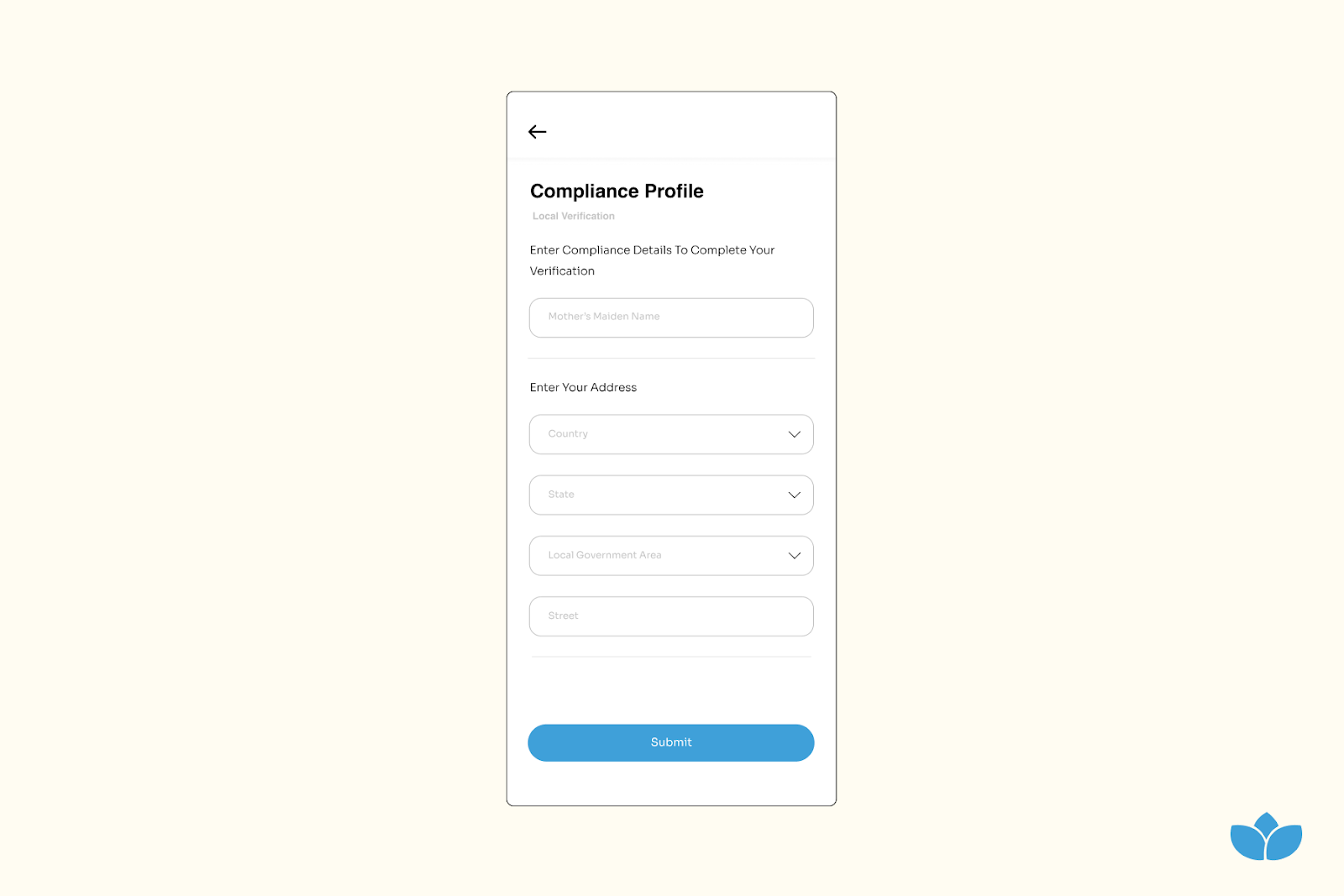
Compliance Profile
- Enter your Next of Kin Name and Next of Kin Phone Number
- Enter your Marital Status, Personal Home Address, Postal Code, City, Local Government, Country
- Tap Submit
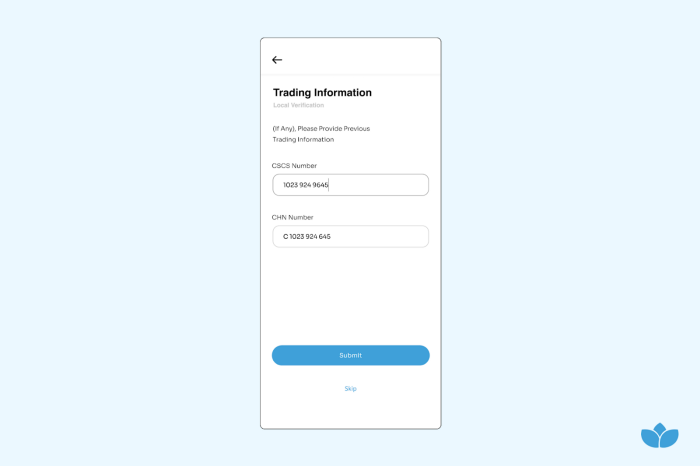
Trading Information
- Do not enter any CSCS Number and CHN Number
- You will be given both numbers when you get verified for Local trading
- Tap Submit
Step 3:Global Verification:
Employment Details
- Fill in your employment status and details
- Tap Submit
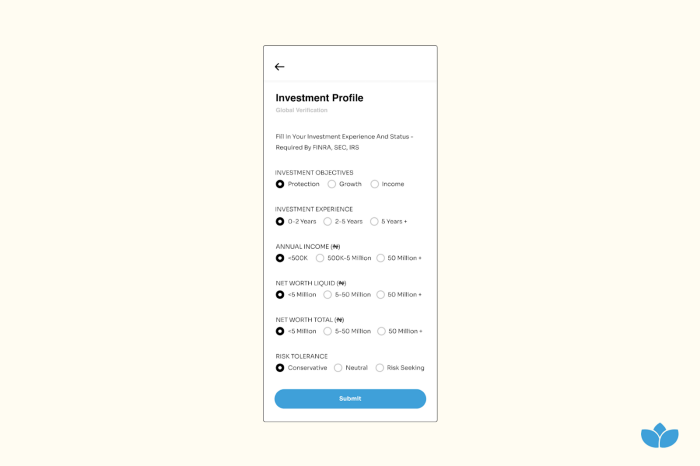
Investment Profile
- Fill In Your Investment Experience And Status — Required By FINRA, SEC, IRS
- Tap Submit
Document Upload
- Upload a valid means of identification. (Accepted documents are Driver’s License, National Identity Card, Voter’s Card)
- Upload a Proof of Address (Accepted document is PHCN Electrical Bill or any Utility Bill)
Note: The Address on the Proof of Address document must match the address entered in the compliance profile
Summary:
Getting Approved Globally:
To get approved Globally, you must have completed and provided the following information
- Personal Information
- BVN Verification
- Phone Number Verification
- Bank Details
- Employment Details
- Investment Profile
- Proof of Address
- Valid Means of Identification
All Information provided and documents submitted will be manually checked and verified
After successful verification, your global account opens within 24 hours
Getting Approved Locally:
To get approved Locally, You must have completed and provided the following information
- Personal Information
- BVN Verification
- Phone Number Verification
- Bank Details
- Compliance Status
After submission, user information is sent to the Central Securities Clearing System (CSCS)
CSCS account is created for the client with CSCS Number and Clearing House Number(CHN) allocated to the client
After successful verification, your local account opens within 2–3 business days
Was this article helpful?
That’s Great!
Thank you for your feedback
Sorry! We couldn't be helpful
Thank you for your feedback
Feedback sent
We appreciate your effort and will try to fix the article